

Overview
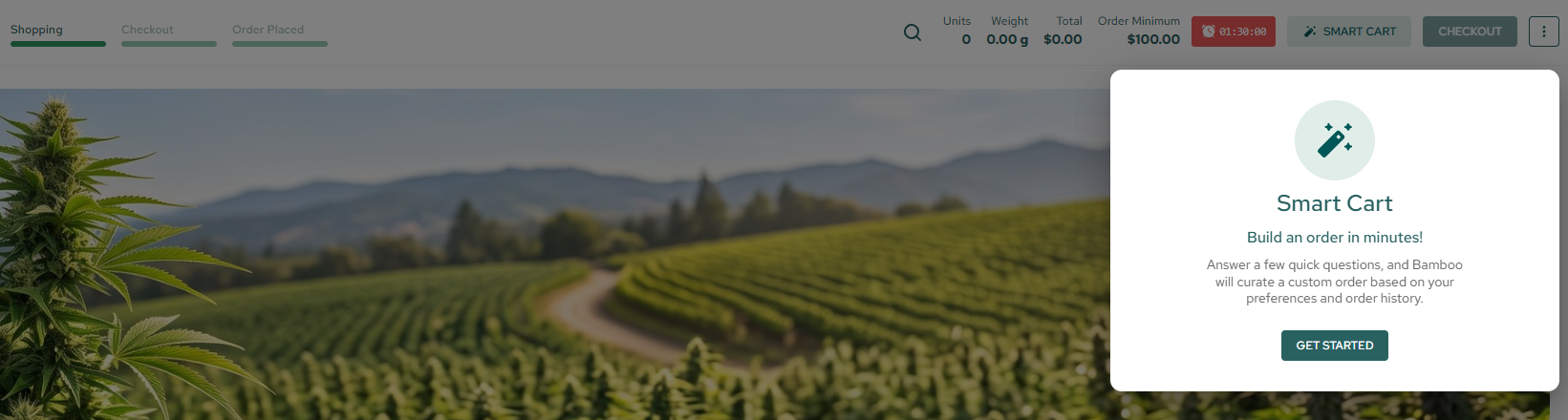
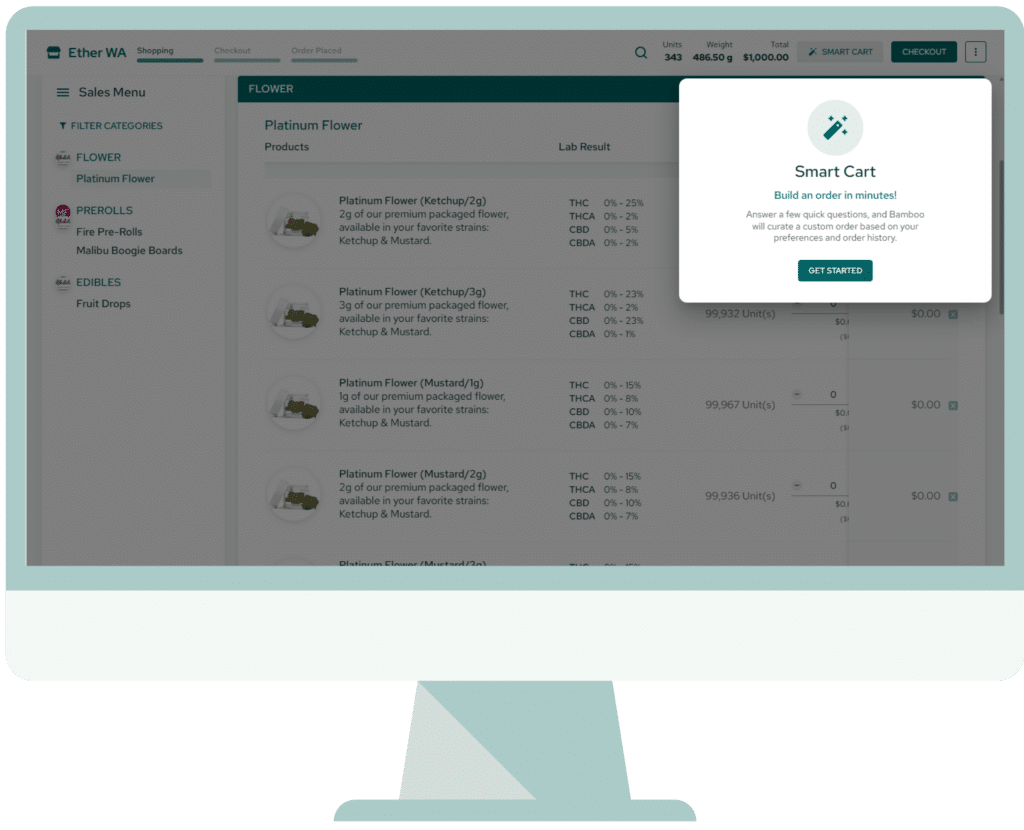
Bamboo’s Smart Cart streamlines order building so sales teams can focus on relationships, not manual workflows. Powered by AI, Smart Cart takes the guesswork out of order building by automatically creating optimized carts based on purchase history, preferences, and budget.
Simply set your budget, choose categories, and let Smart Cart do the work—delivering a complete, editable order in under a minute. The result? Faster ordering, fewer manual steps, and more confident buying decisions every time.
Project
Duration
Tools
My Role
Smart Cart AI Feature for Bamboo
1 week
Figma
Lead UX/UI Designer
The Challenge
Building orders can be time-consuming and repetitive, especially for Sales Reps who input the similar orders for the same clients every couple weeks. Customers and sales representatives must navigate product menus, manage budgets, and determine the right quantities across multiple product categories.
This manual process requires users to spend valuable time assembling orders instead of focusing on business needs and customer relationships.
How might we simplify and speed up order creation while giving users enough control to build an order that reflects their budget, purchasing habits, and product preferences?
Process & Solution
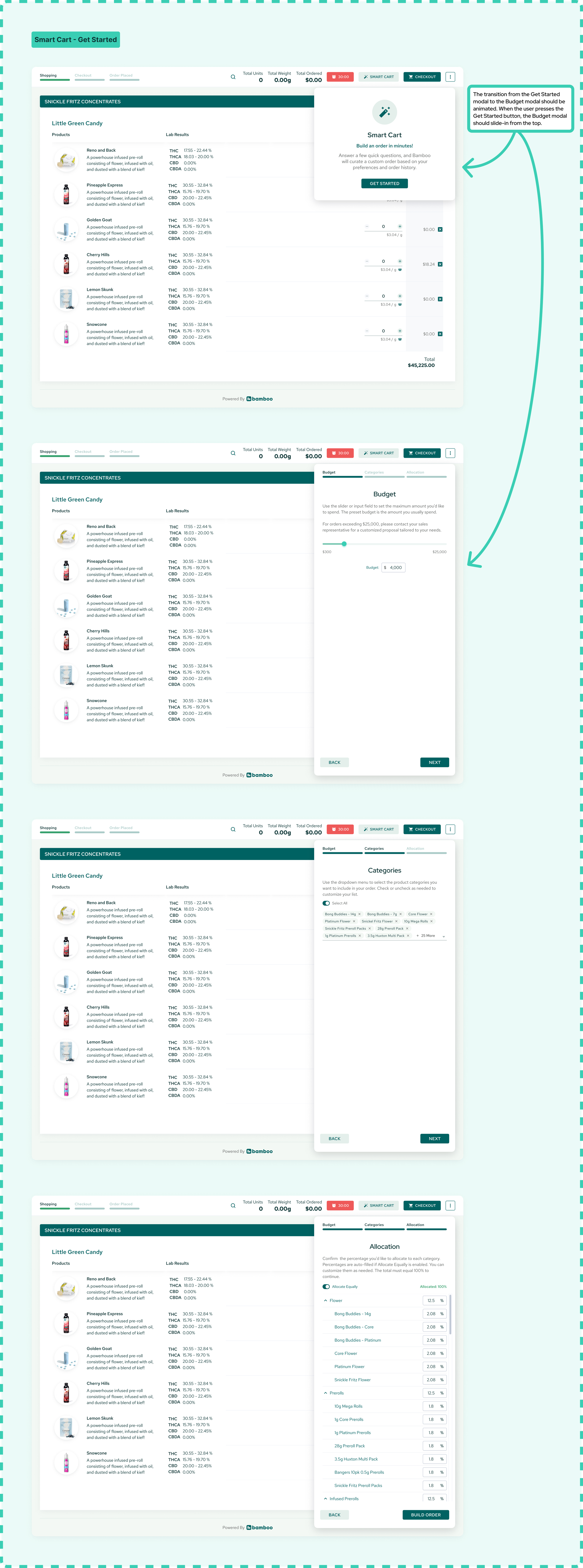
First, I identified the key questions users should answer to successfully build an order. These questions would be the foundation of the Smart Cart Wizard. AI would do the rest of the work.
What is the budget?
What product categories should the order include?
How should the budget be allocated across these product categories?
1) Define the Budget
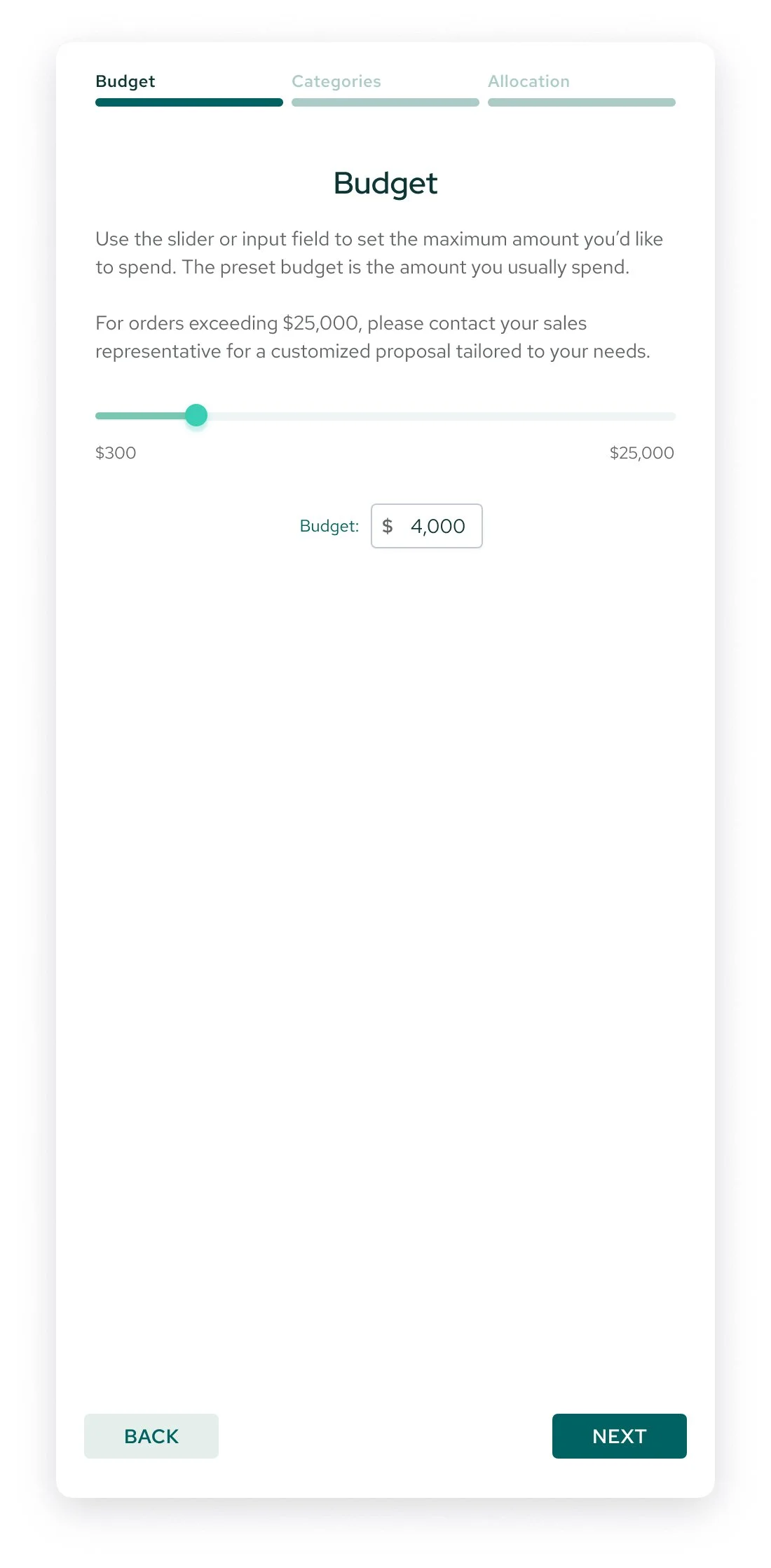
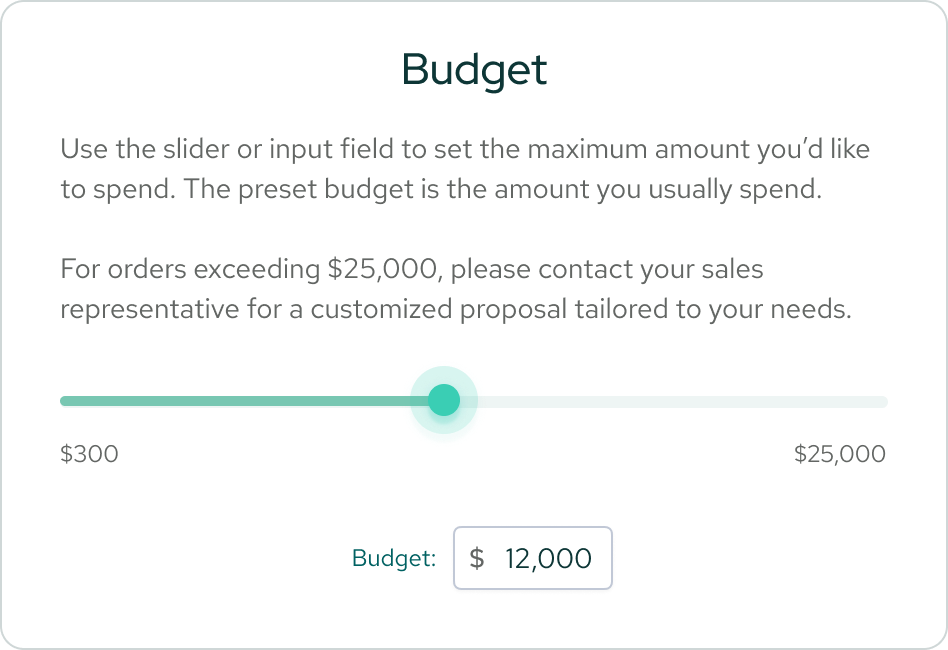
Users begin by setting a budget for their order. This establishes a clear spending limit and gives the AI a financial constraint to consider when generating product recommendations.
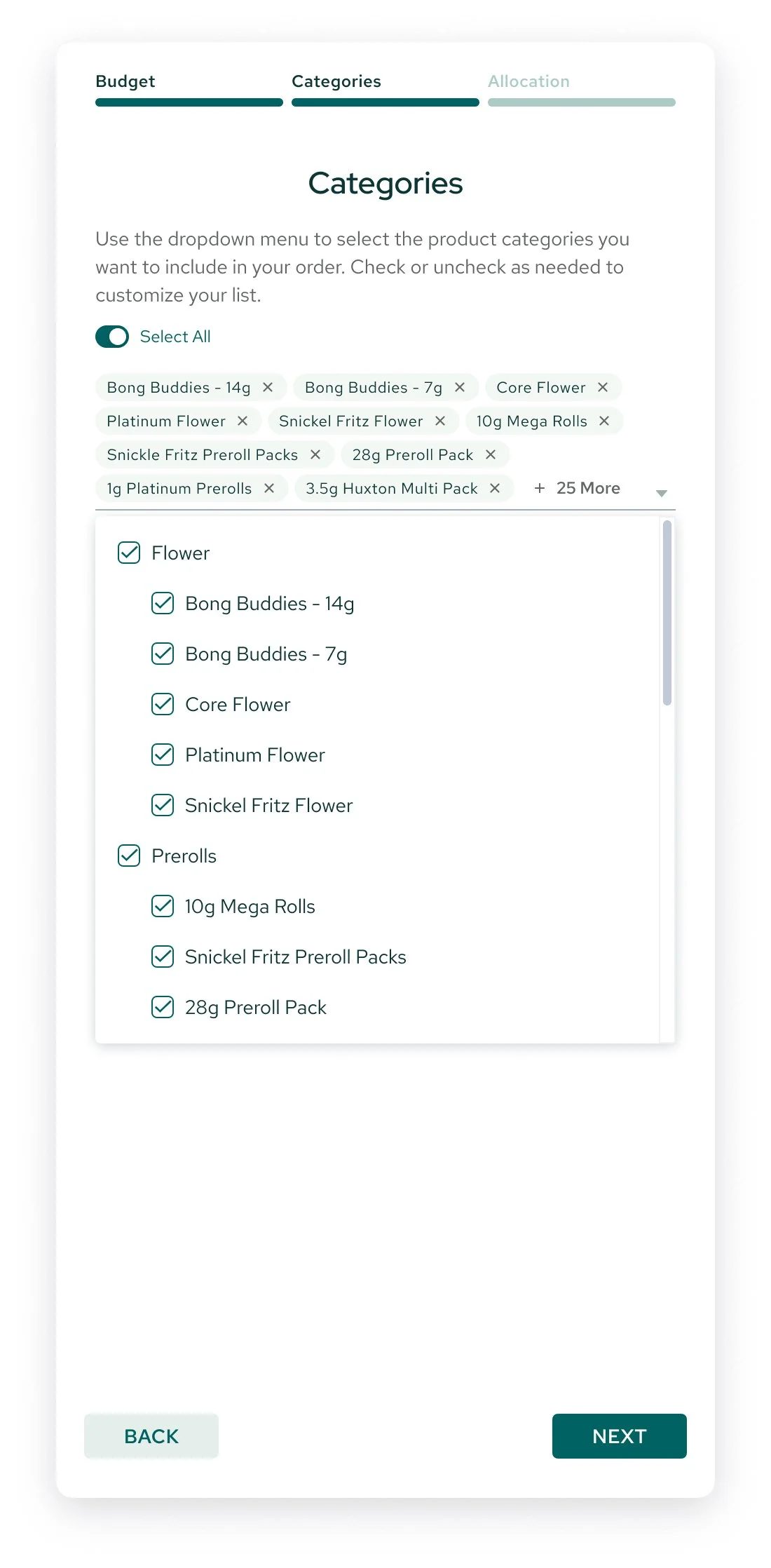
2) Select Product Categories
Users can choose all available product categories or select specific categories based on their needs. This step allows customers to focus their spending on the products their business needs.
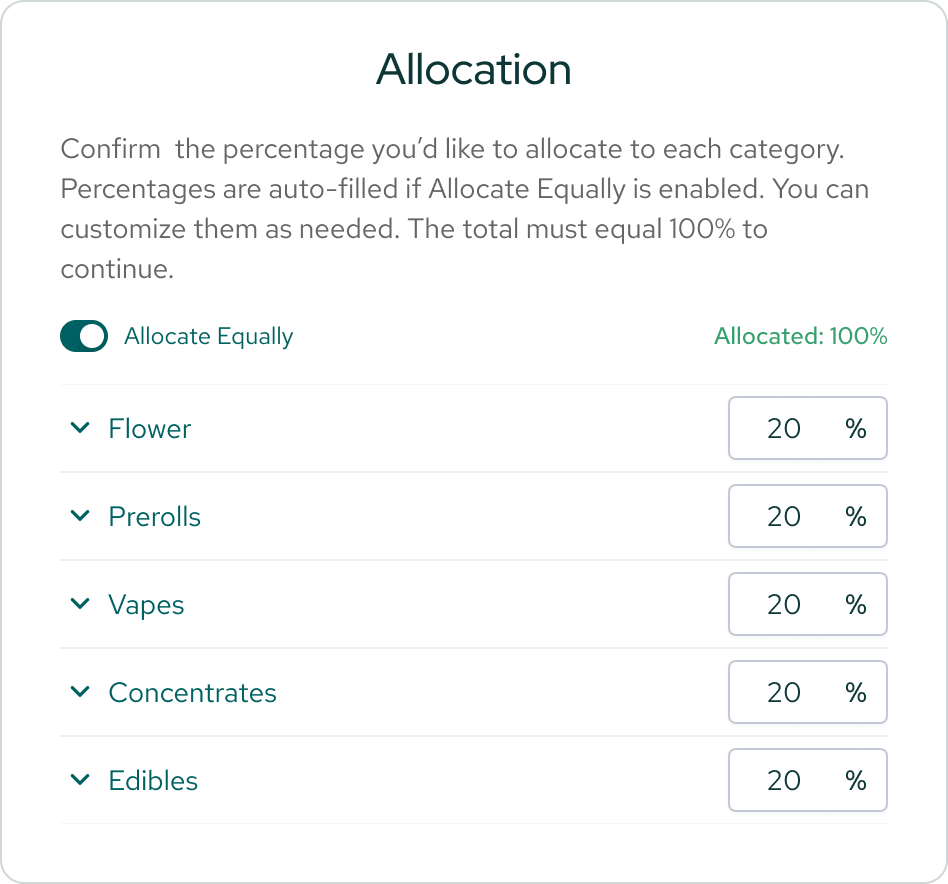
3) Allocate Spending
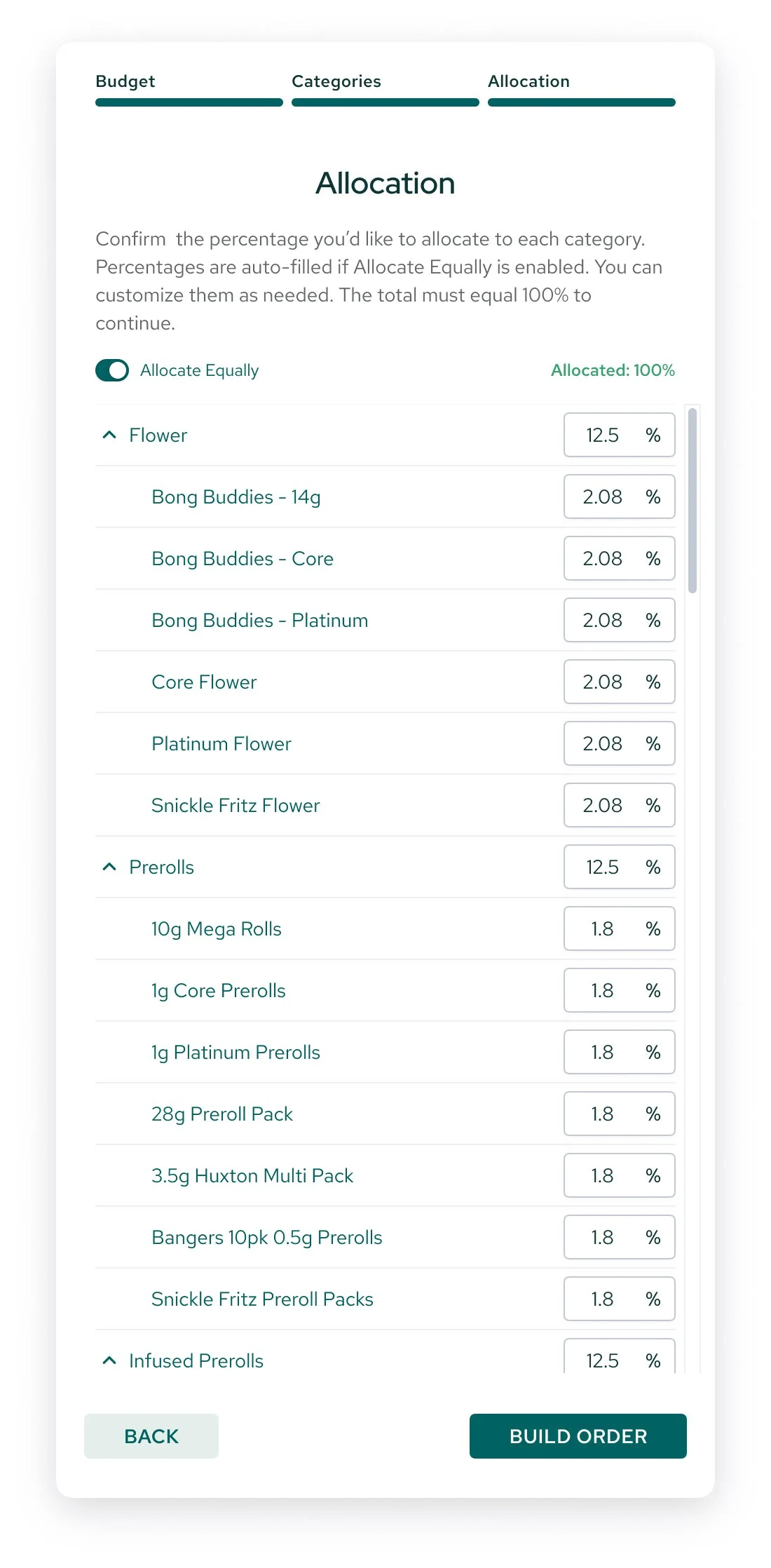
Users can automatically distribute their budget equally across categories or they can manually assign a specific percentage to each category if they prefer more granular control.
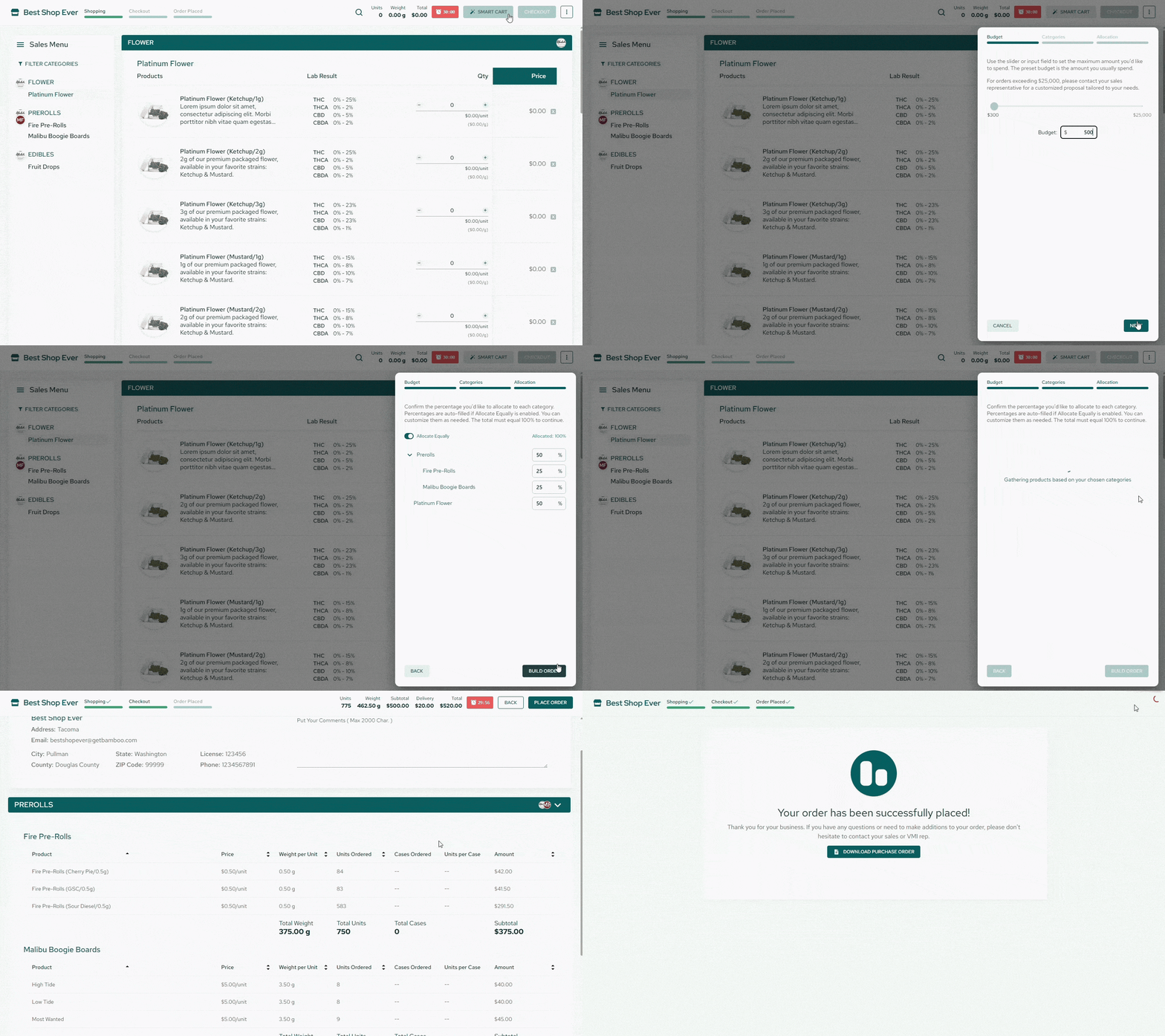
Generate the Order > Review & Customize > Place Order
Once the parameters are set, Smart Cart uses AI to generate a personalized order based on the selected budget, category allocations, purchase history, and customer preferences. The process typically takes less than a minute, significantly reducing the effort required to assemble an order manually.
After the order is generated, users can review the recommended products and make adjustments as needed. When satisfied with their selections, they can click Place Order to complete the process.

Iconography
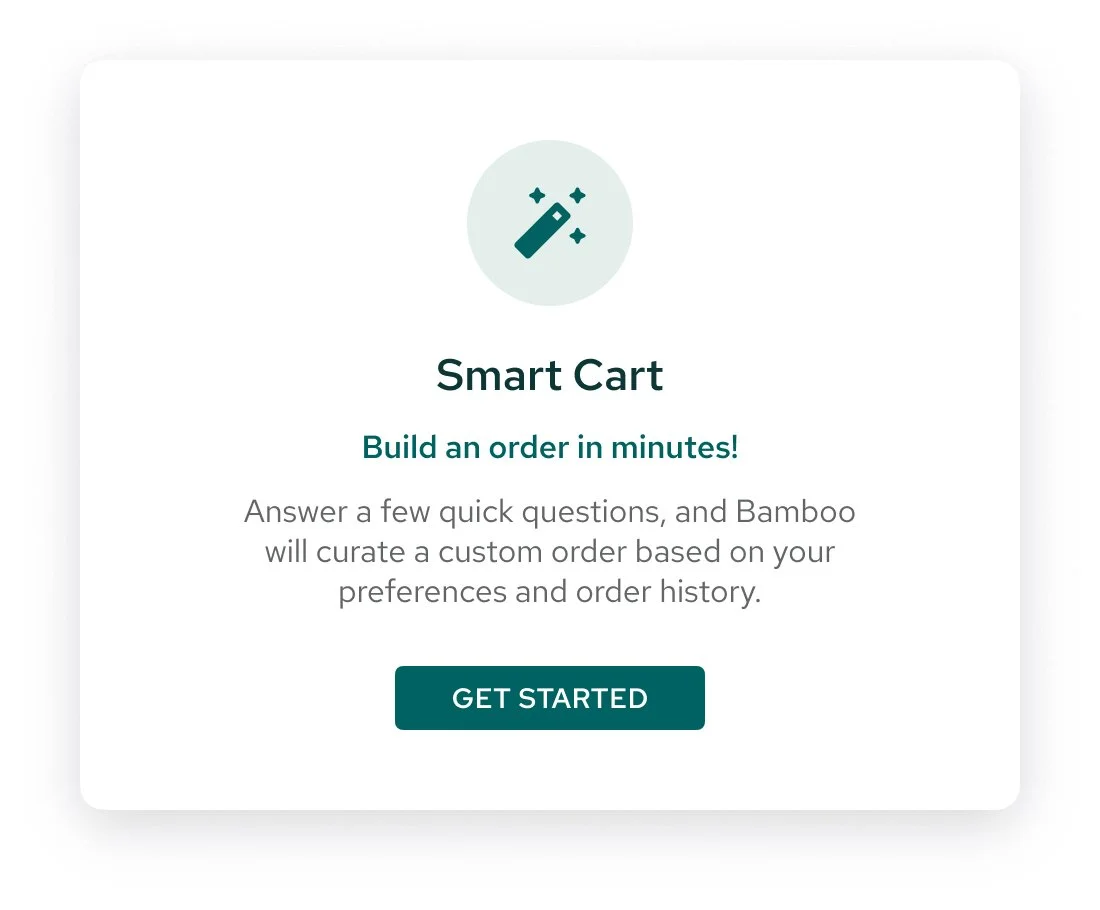
The icon I chose to represent the new Smart Cart feature throughout the interface is a magic wand. This visual metaphor represents the AI-powered automation behind the feature. Turning a few simple inputs into a personalized, ready-to-review order feels like magic to Sales Reps that used to spend hours doing what this tool can do in minutes.
UX/UI Considerations
Budget
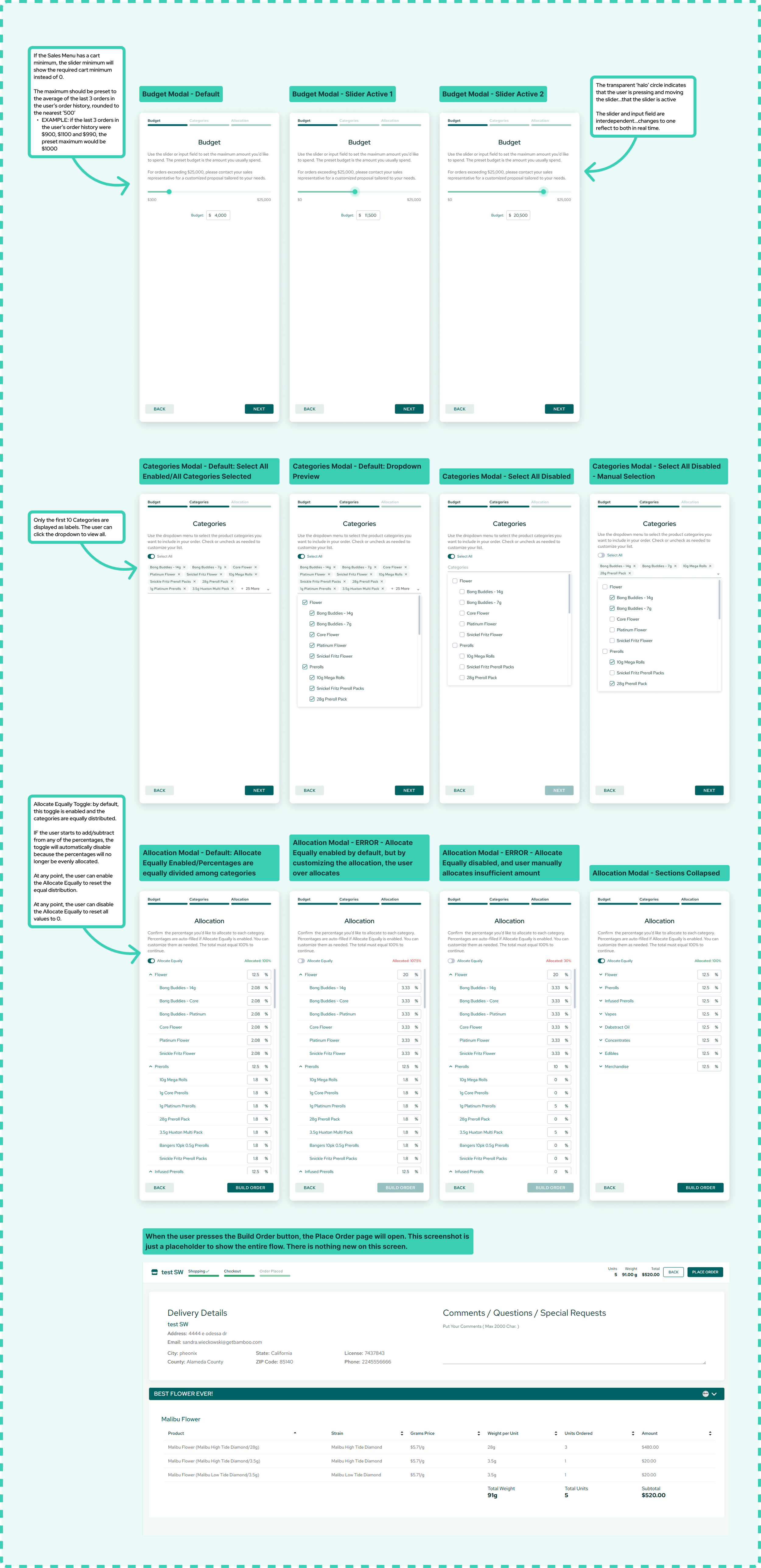
If the Sales Menu has a cart minimum, the slider minimum will show the required cart minimum instead of 0. The maximum should be preset to the average of the last 3 orders in the user’s order history, rounded to the nearest ‘500’
EXAMPLE: if the last 3 orders in the user’s order history were $11,000, $12,000 and $13,000, the preset maximum would be $12,000
The transparent ‘halo’ circle indicates that the user is pressing and moving the slider—that the slider is active.
The slider and input field are interdependent. Changes to one reflect to both in real time.
Product Categories
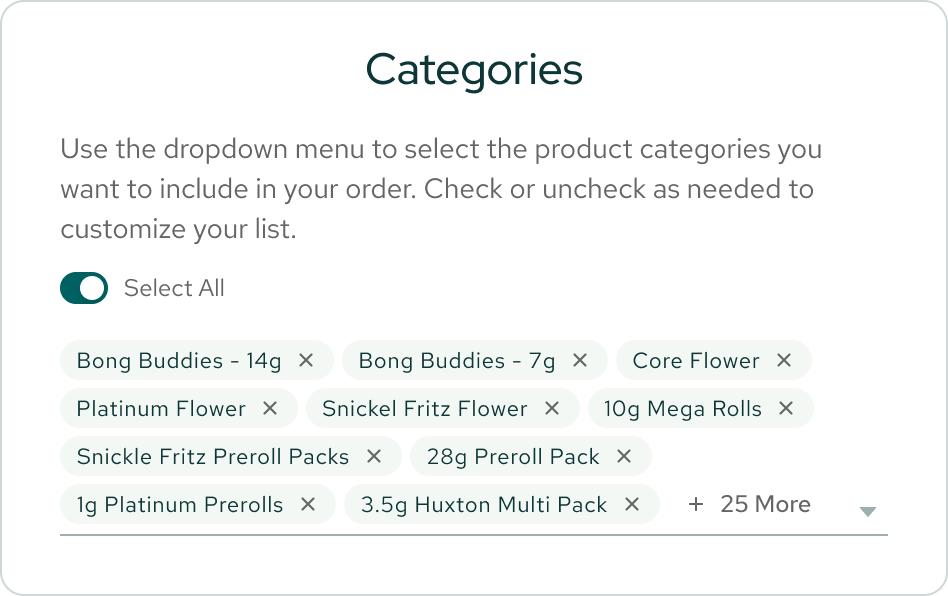
Only the first 10 Categories are displayed as labels. The user can click the dropdown to view all.
Allocation
Allocate Equally Toggle: by default, this toggle is enabled and the categories are equally distributed.
IF the user starts to add/subtract from any of the percentages, the toggle will automatically disable because the percentages will no longer be evenly allocated.
At any point, the user can enable the Allocate Equally to reset the equal distribution.
At any point, the user can disable the Allocate Equally to reset all values to 0.
Figma Designs
Final Design
Takeaways
Smart Cart demonstrates how AI can improve a complex B2B workflow when it is paired with thoughtful interaction design. The goal wasn't simply to introduce AI into the product; it was to make a traditionally manual task feel more approachable and efficient.
By combining guided inputs, flexible controls, and an editable AI-generated order, the experience gives customers a practical way to save time while staying in control of their purchasing decisions.